


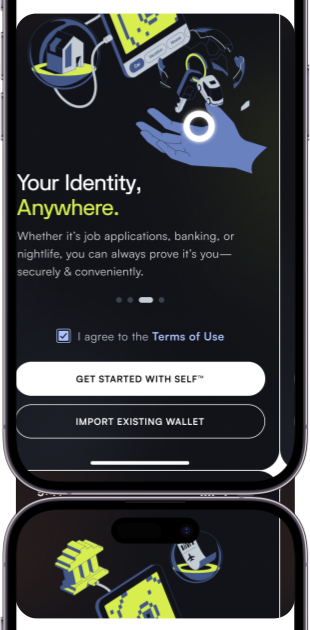

The SELF® App is a non-custodial identity wallet at the consumer-facing layer of SELF’s infrastructure. Organizations can direct users to build a Digital Genome™ of verified credentials or embed the same capabilities into their apps via SELF’s SDKs. SELF never accesses or stores user data, and platforms only receive what they explicitly request.
Users build a private Digital Genome™ of verified credentials from trusted issuers. When a platform sends a request, users respond in a few taps, sharing exactly the verified data needed, and nothing more.
Key Features
Digital Genome™
Molecules (Verifiable Credentials)
Non-Custodial By Design
Challenge & Response
Attestation
Digital Genome™
Molecules (Verifiable Credentials)
Non-Custodial By Design
Challenge & Response
Attestation
Every user builds a personal Digital Genome™, a collection of verified credentials issued by trusted organizations, governments, employers, or other recognized sources. It becomes a portable identity that works across platforms in the SELF network.
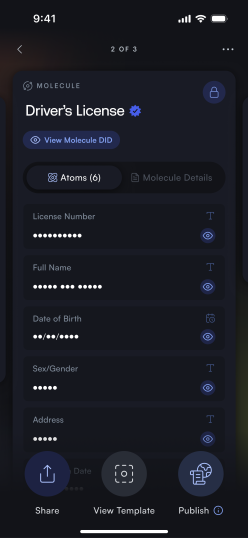
Credentials in the SELF® App are called “Molecules”, each one cryptographically signed by the issuing party, verifiable by anyone in the network without needing to contact the issuer directly.
Credentials are stored on the user's device and controlled by their private key. SELF® has no access to user data, ever, and neither does the integrating platform unless it specifically requests and receives a credential in response to a challenge.
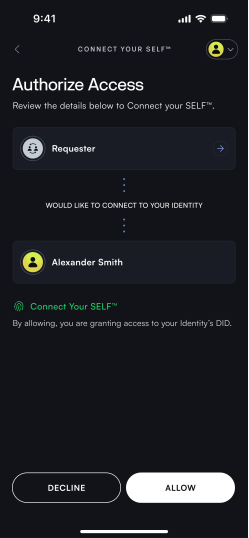
When a platform needs to verify something about a user, it sends a Challenge through the SELF network. The user sees exactly what is being requested, decides whether to respond, and shares only the relevant credentials. Nothing is shared without the user's active consent.
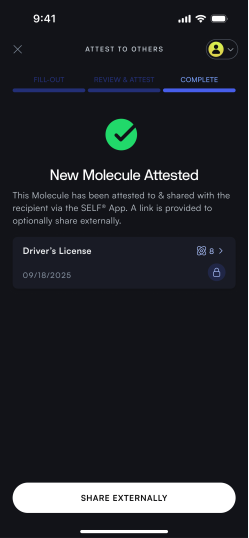
Organizations can issue credentials directly to a user's Digital Genome™, certifying claims like KYC status, age, employment, or professional qualifications. The user reviews and accepts each one before it is added to their wallet.
Digital Genome™
Every user builds a personal Digital Genome™, a collection of verified credentials issued by trusted organizations, governments, employers, or other recognized sources. It becomes a portable identity that works across platforms in the SELF network.
Molecules (Verifiable Credentials)
Credentials in the SELF® App are called “Molecules”, each one cryptographically signed by the issuing party, verifiable by anyone in the network without needing to contact the issuer directly.
Non-Custodial By Design
Credentials are stored on the user's device and controlled by their private key. SELF® has no access to user data, ever, and neither does the integrating platform unless it specifically requests and receives a credential in response to a challenge.
Challenge & Response
When a platform needs to verify something about a user, it sends a Challenge through the SELF network. The user sees exactly what is being requested, decides whether to respond, and shares only the relevant credentials. Nothing is shared without the user's active consent.
Attestation
Organizations can issue credentials directly to a user's Digital Genome™, certifying claims like KYC status, age, employment, or professional qualifications. The user reviews and accepts each one before it is added to their wallet.
What this unlocks

Key Features
Digital Genome™
Molecules(Verifiable Credentials)
Non-Custodial By Design
Challenge & Response
Attestation
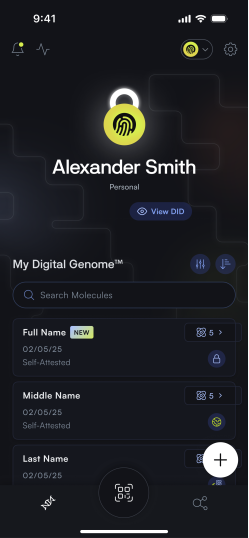
Every user builds a personal Digital Genome™, a collection of verified credentials issued by trusted organizations, governments, employers, or other recognized sources. It becomes a portable identity that works across platforms in the SELF network.
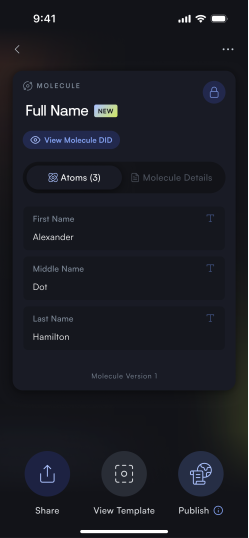
Credentials in the SELF® App are called “Molecules”, each one cryptographically signed by the issuing party, verifiable by anyone in the network without needing to contact the issuer directly.
Credentials are stored on the user's device and controlled by their private key. SELF® has no access to user data, ever, and neither does the integrating platform unless it specifically requests and receives a credential in response to a challenge.
When a platform needs to verify something about a user, it sends a Challenge through the SELF network. The user sees exactly what is being requested, decides whether to respond, and shares only the relevant credentials. Nothing is shared without the user's active consent.
Organizations can issue credentials directly to a user's Digital Genome™, certifying claims like KYC status, age, employment, or professional qualifications. The user reviews and accepts each one before it is added to their wallet.
Benefits

SECURITY
Zero Data Liability
Because SELF® never holds user data and platforms only receive what they explicitly request, there is nothing to breach, leak, or misuse. Platforms get verified signals without the compliance burden of storing sensitive personal information.
ONBOARDING
Faster Onboarding
With verified identity credentials readily available, user onboarding becomes frictionless, reducing drop-off rates and accelerating the path to initial engagement. The process is streamlined without sacrificing compliance.
COSTS
Lower Costs
Eliminate the recurring expenses of traditional background checks and identity verification. By utilizing a decentralized identity framework, organizations drastically cut down third-party validation fees.
OVERHEAD
Reduced Overhead
Minimize administrative strain associated with data management and privacy compliance. Your teams can focus on core competencies rather than dealing with complex verification logistics.
STANDARDS
Open Standards
Built on interoperable, open standards to ensure seamless integration with various existing systems. Future-proof your infrastructure with non-proprietary verification methodologies.
Private identity,
One tap away.
Private identity,
One tap away.
Available to download today!
See How SELF®
Solves Your Use Case


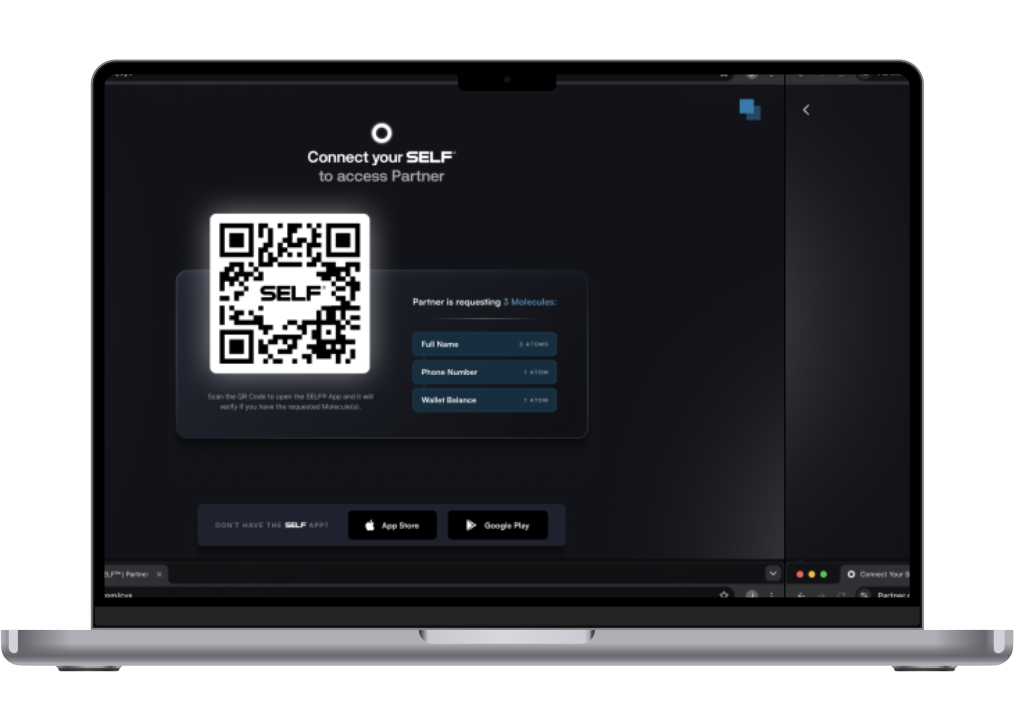

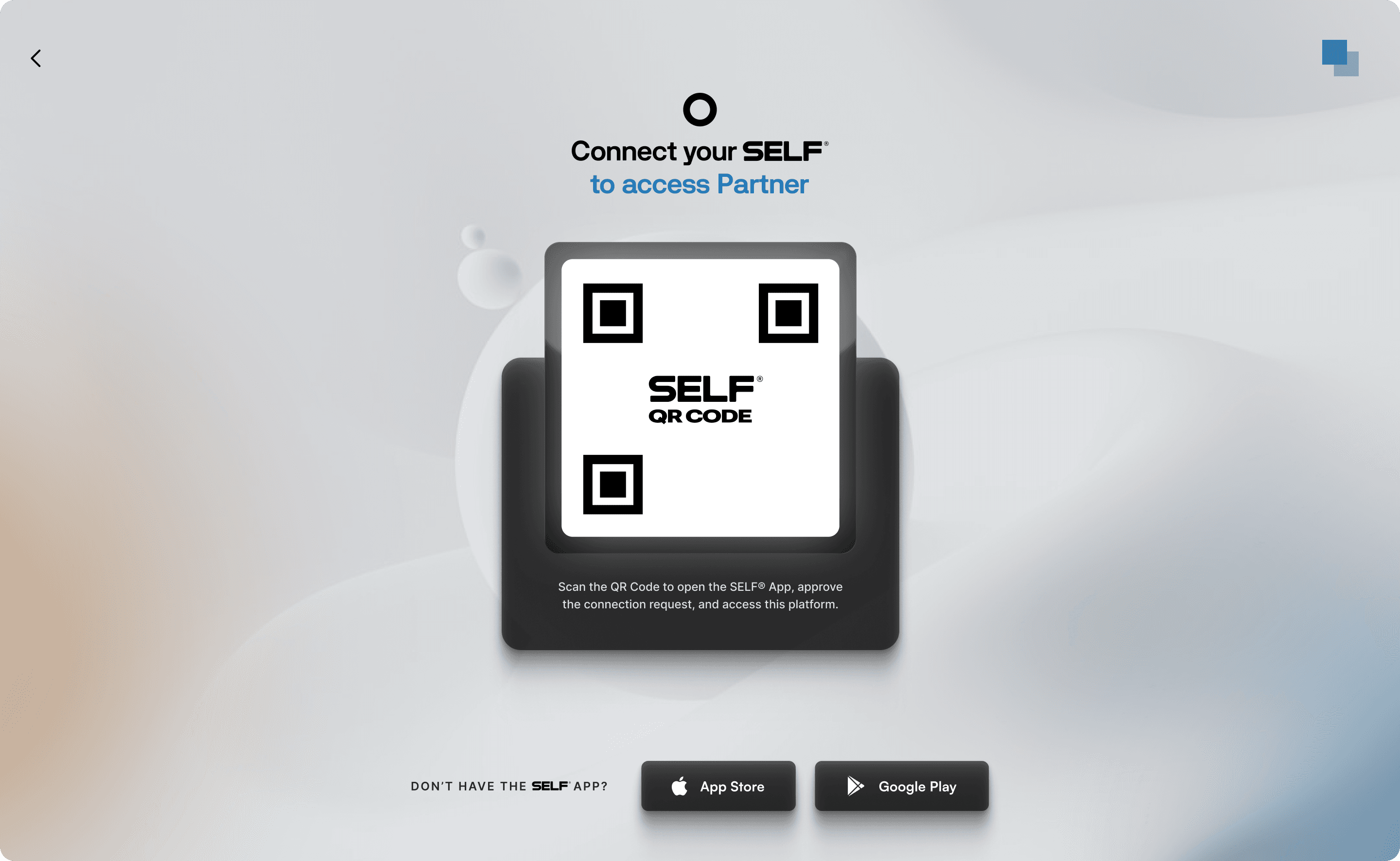
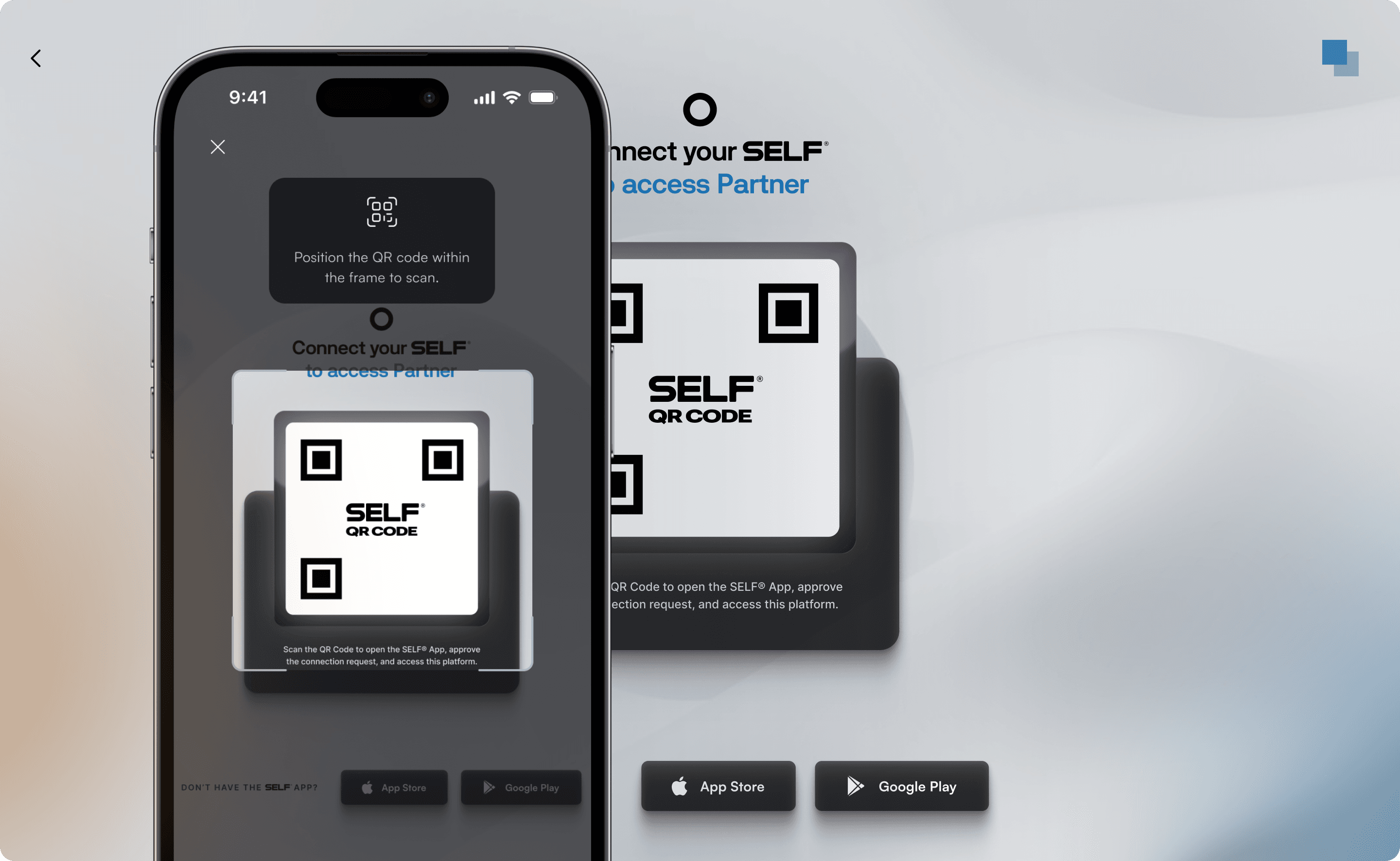
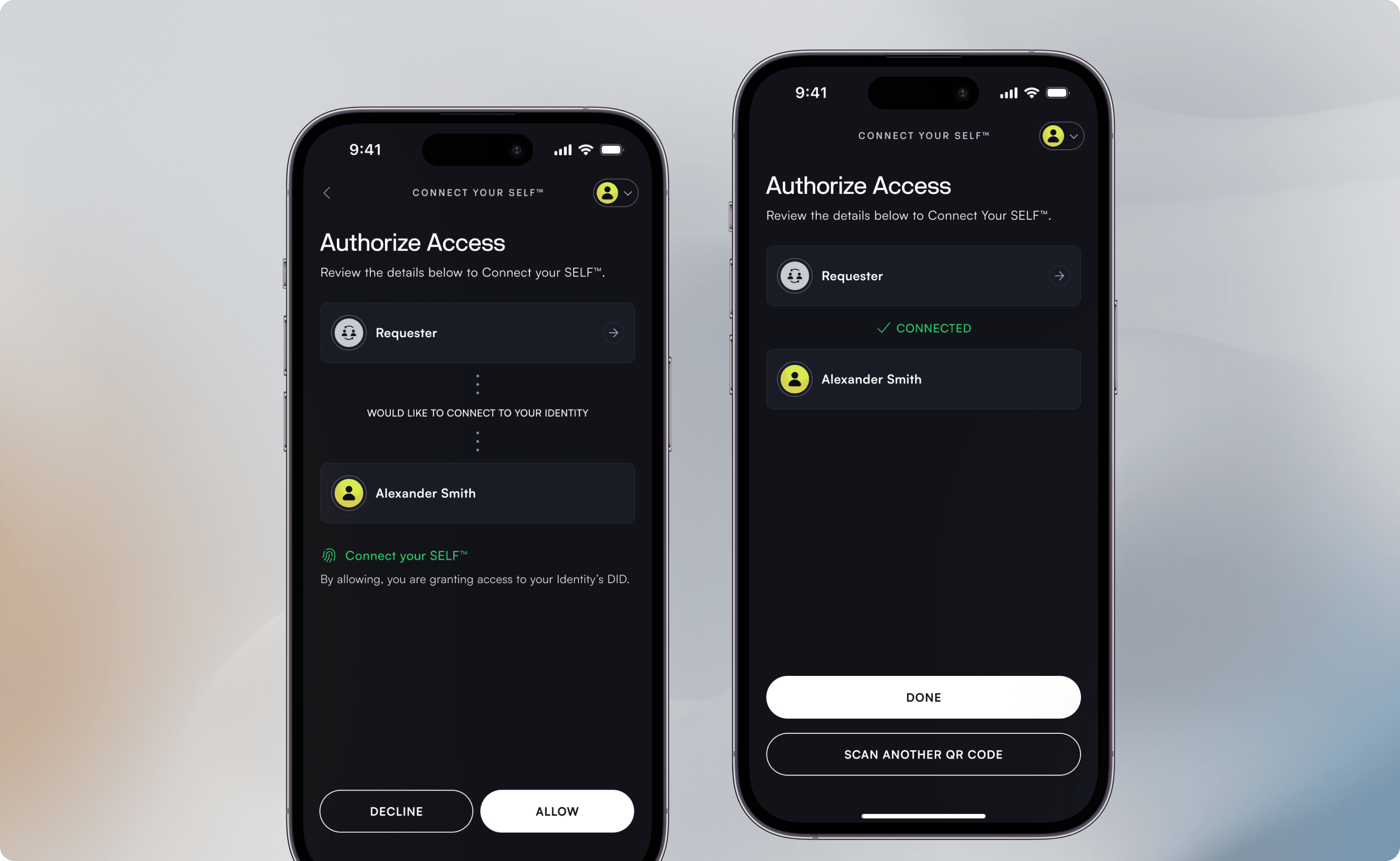
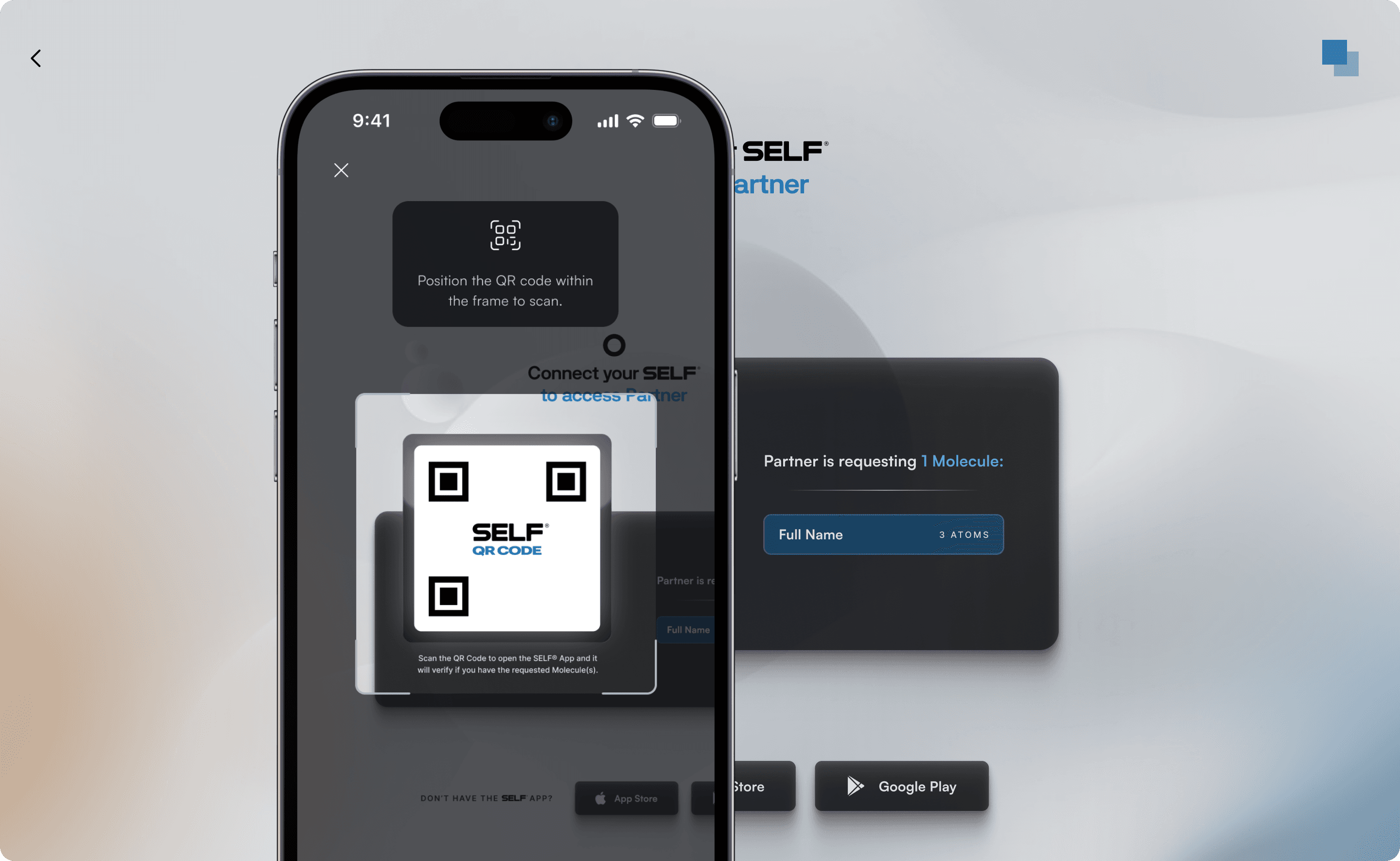
Connect Your SELF (CYS) is SELF’s authentication protocol, letting users log in and verify identity across apps without passwords, unnecessary data sharing, or third party control. Every challenge is transparent, showing exactly what is requested before users respond.
CYS supports a range of flows based on application needs. At its simplest, it confirms identity without exchanging credentials. Sign In With Your SELF™ (SIWYS) is a lightweight passwordless login similar to “Sign in with Google” but without giving access to user data. CYS can also request verified credentials during login or onboarding, supporting use cases like age verification, KYC, and professional credentialing.
How it works
Why Integrate CYS?
Use Cases
CYS powers a range of identity and verification workflows across KYC, age verification, wallet infrastructure, and credential networks.

Connect your SELF™ Integration
Integrate Keymaster (SDK)
Use the Keymaster SDK (Node.js or Java) to generate and verify authentication challenges inside your application.
Connect via Gatekeeper
Set up a Gatekeeper node to link your application to the SELF® network.
Handle Requests & Responses
Keymaster processes the challenge logic, while Gatekeeper manages secure communication with the network.
Full setup instructions, SDK references, and code samples are available in our Documentation site.
Connect your SELF™
vs. Traditional Authentication
OAuth